Check the computer before copying
Disk space, OneDrive, antivirus, and power: the program checks them first.
Step by step
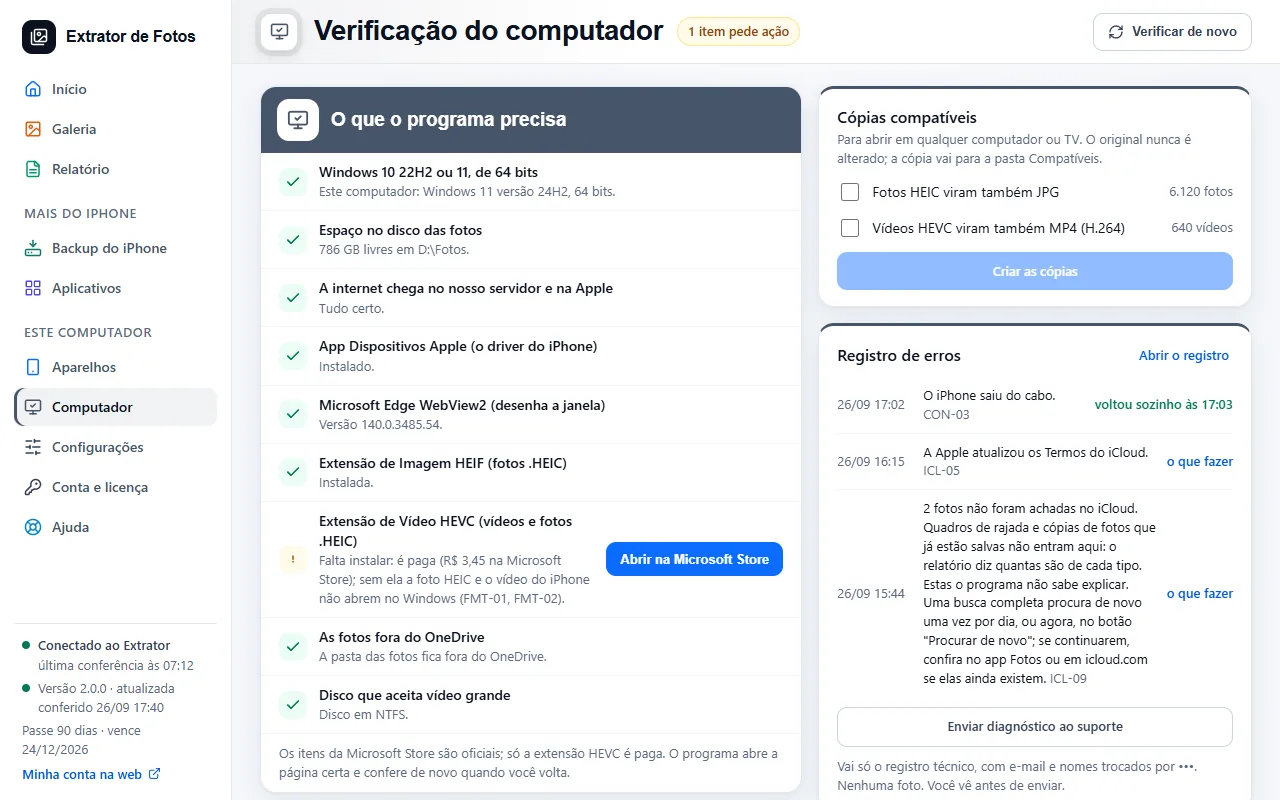
Open Computer: the program checks Windows, the Apple driver, the photo and video extensions, the destination drive, and the antivirus.
Any item that needs action comes with a button to fix it (for example, installing the Apple Devices app, for free).
The destination drive needs free space and has to be outside OneDrive. During the copy, the program asks Windows not to sleep; on a laptop, keep it plugged in.
If an error shows up
The code shows up on the program's screen. Each article has the cause and the fix.
More in Installing and your computer
Still not fixed? Contact support
The team replies by email and in the customer area. In the program: Help. The error code goes along.