Install on Windows
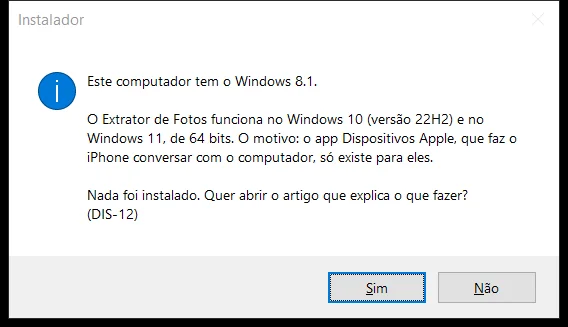
The installer checks Windows first and tells you what to do, if needed.
Step by step
The program works on 64-bit Windows 10 (version 22H2) and Windows 11: the Apple Devices app only exists for them.
If Windows says it protected your PC, click More info › Run anyway.
Windows 7, 8, or 8.1, or 32-bit: the installer explains and doesn't install. Older Windows 10: update through Windows Update (free) and open the installer again.
ARM computer (Snapdragon): we haven't tested it yet; the installer warns you and you decide. If the iPhone doesn't show up on the cable, iCloud keeps working.
If an error shows up
The code shows up on the program's screen. Each article has the cause and the fix.
More in Installing and your computer
Still not fixed? Contact support
The team replies by email and in the customer area. In the program: Help. The error code goes along.