The “This computer's security” panel
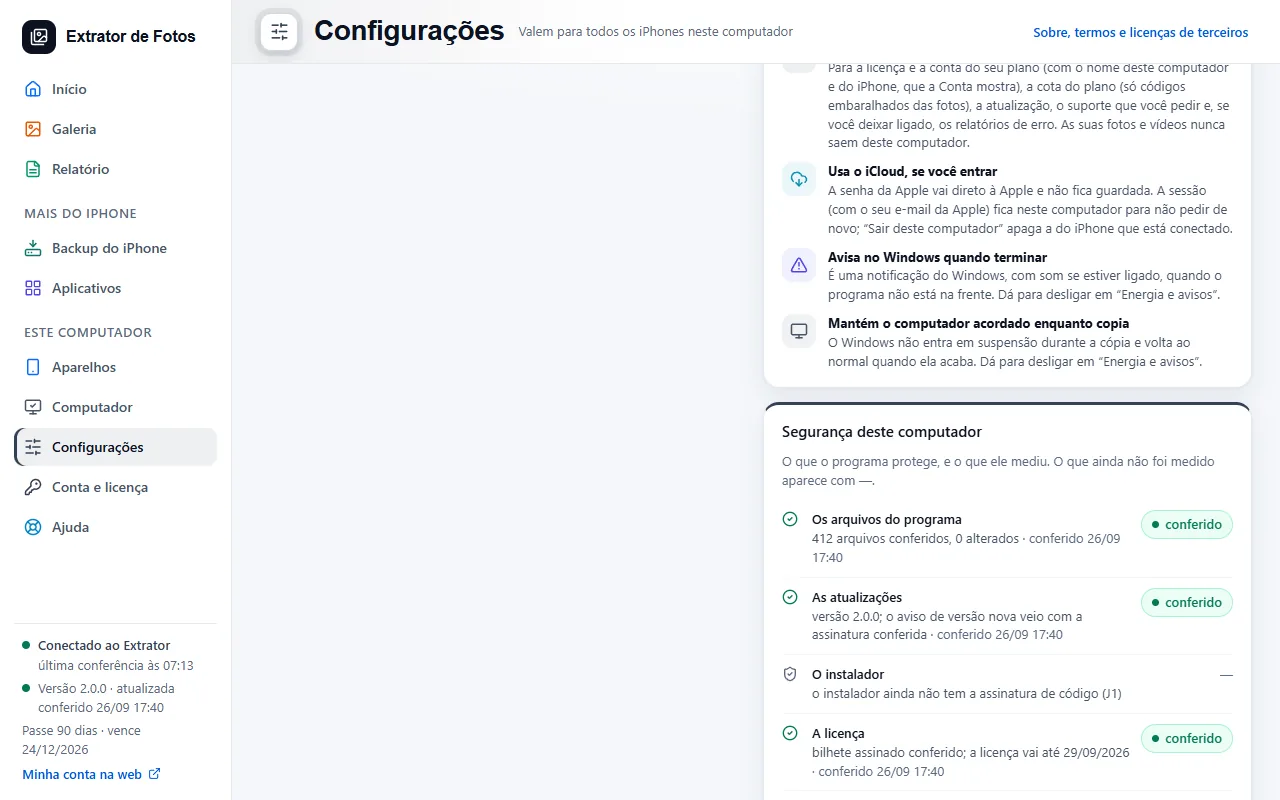
At the end of Settings, the panel shows what the program protects and what it measured. What hasn't been measured yet shows with a dash.
Step by step
At the end of “Settings”, the “This computer's security” panel shows, item by item, what the program protects: the program files, updates, the installer, the license, the iCloud session and what leaves this computer.
“checked” means the program measured it and shows when. “needs attention” is a measured risk, with what to do.
What hasn't been measured yet shows as “not measured yet”, with a dash: the program doesn't pretend it checked.
It also shows the debugging tools and the program window: whether the content policy is loaded and whether navigation to the outside is locked.
The panel shows what was measured; it doesn't change anything on your computer.
More in Installing and your computer
Still not fixed? Contact support
The team replies by email and in the customer area. In the program: Help. The error code goes along.