Account and license
Activating, switching computers, payment, and refunds.
Step by step
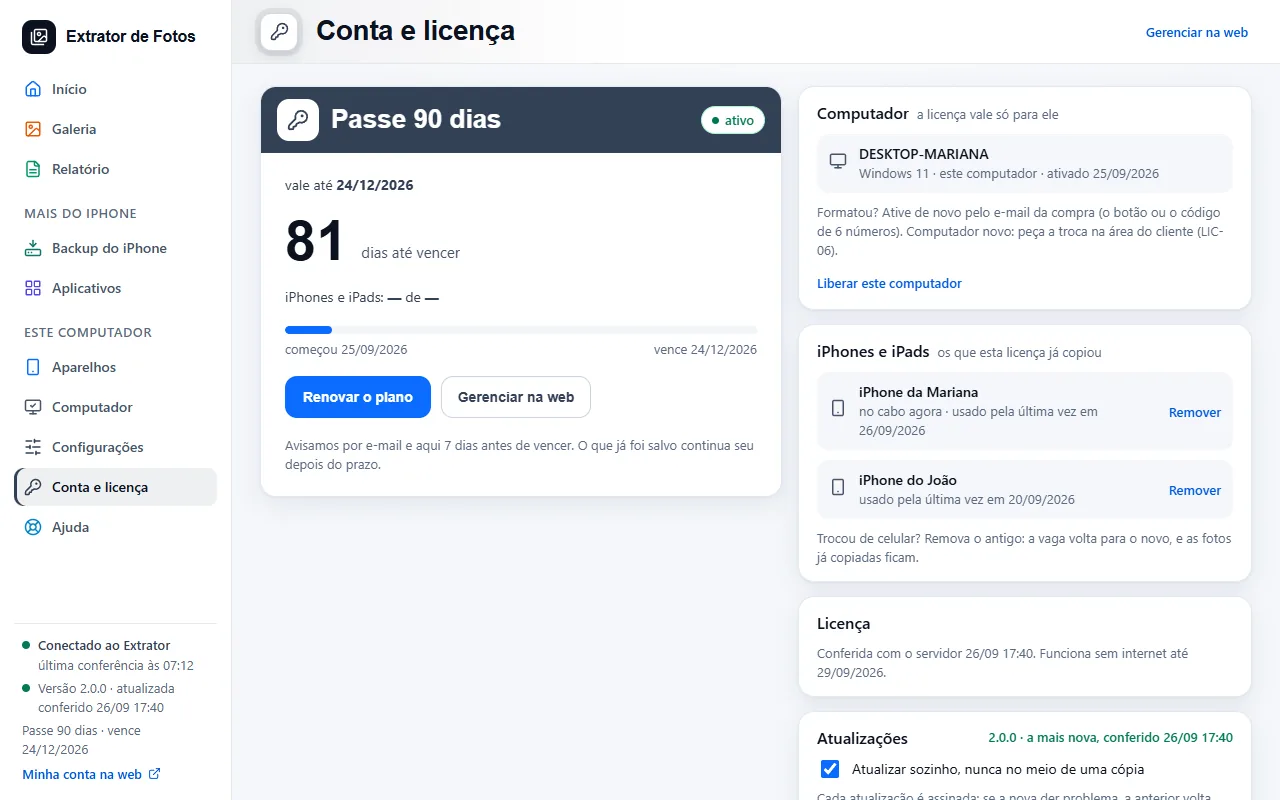 Activate the license on the computerThe license is for one computer. An account created in the program is activated right away; a purchase is activated from the purchase email: the button or the 6-digit code.4 steps
- You reformatted or switched computersThe same computer reactivates by itself. A new computer requires a switch.5 steps
- Lost, stolen, or sold computerFreeing up the slot is for switching computers, and the same computer can come back with the code. Turning it off is for a lost, stolen, or sold one: it doesn't come back by itself.5 steps
- Payment and refundPix, card, or boleto through Guru; 7 days to change your mind and get your money back.3 steps
- How billing worksMonthly, Semiannual and Annual renew automatically, and that's written next to the price. If you cancel, the plan stays valid until the end of what was paid.4 steps
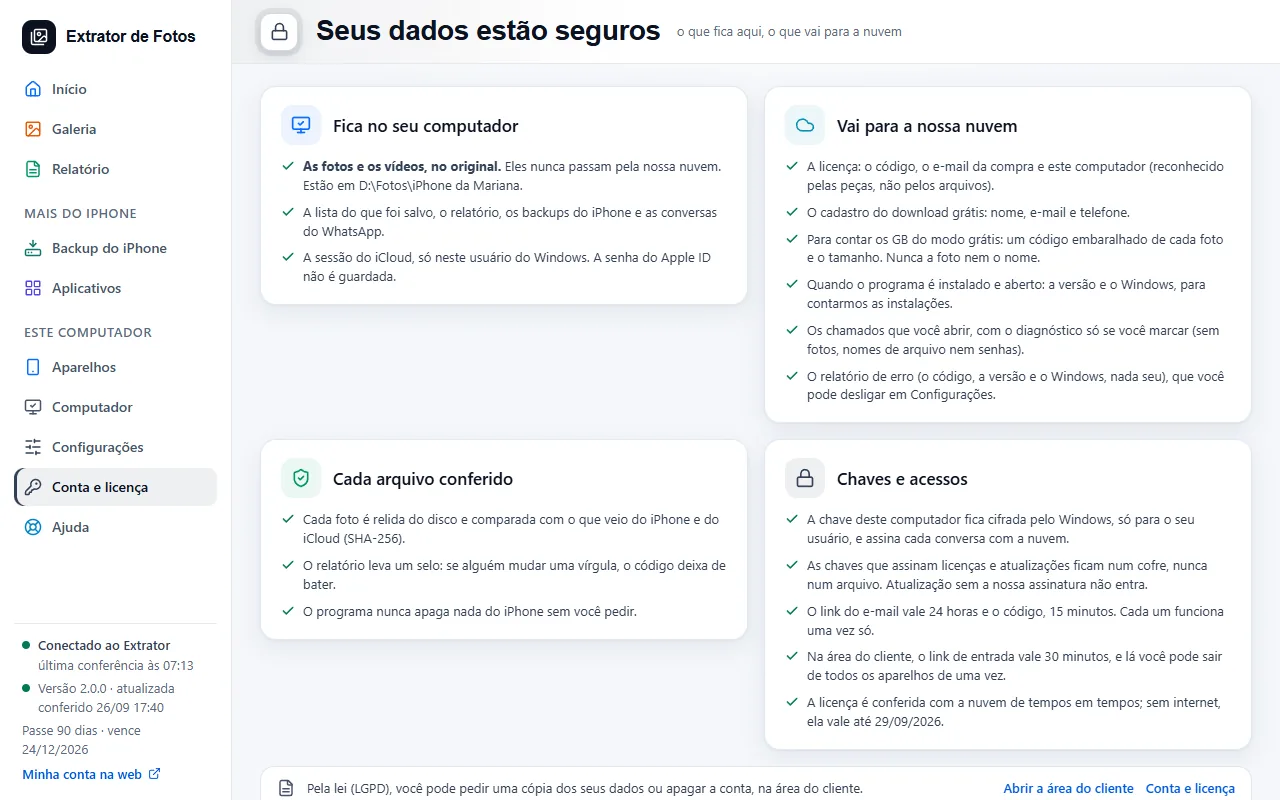 What stays on the computer and what goes to the cloudYour photos never leave your computer. The cloud keeps the license, your registration, and whatever you send to support.4 steps
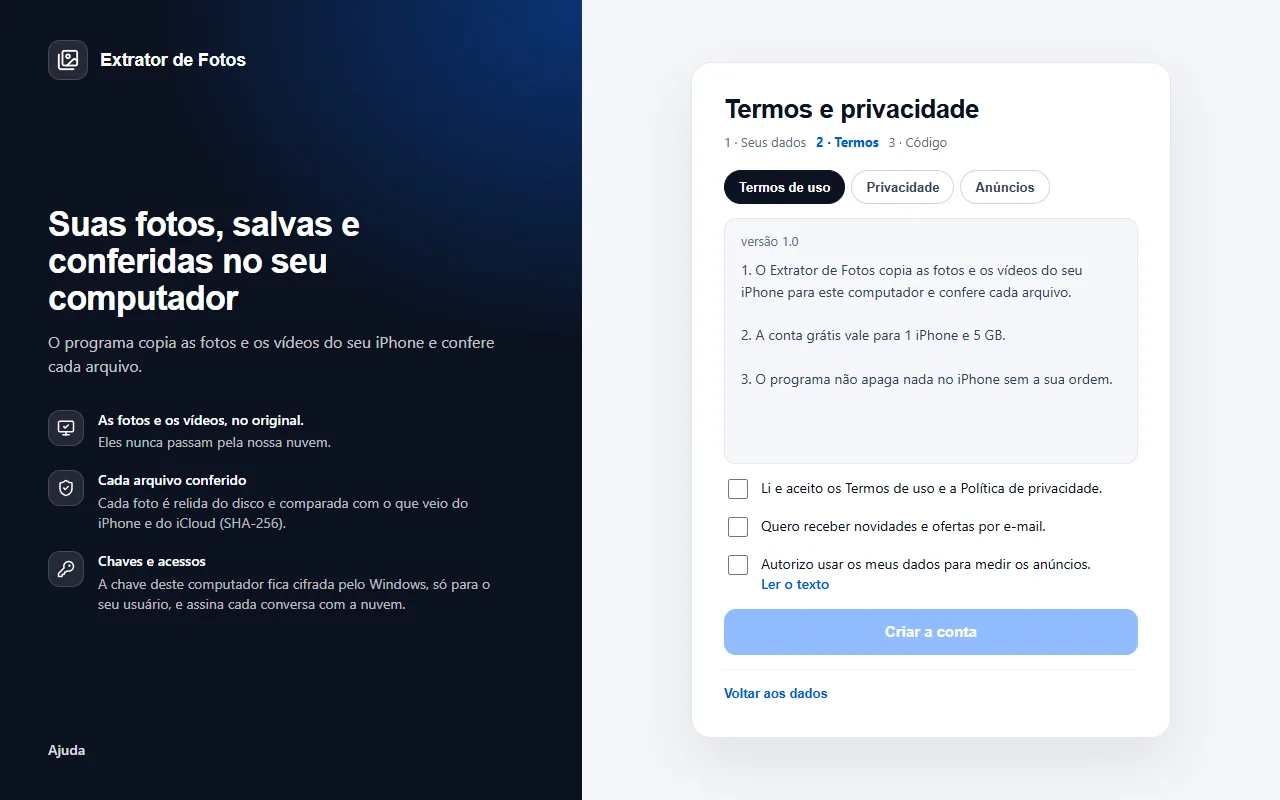 Creating the account inside the programThe free account is created in the program: your details, the terms, and the computer is activated right away.7 steps
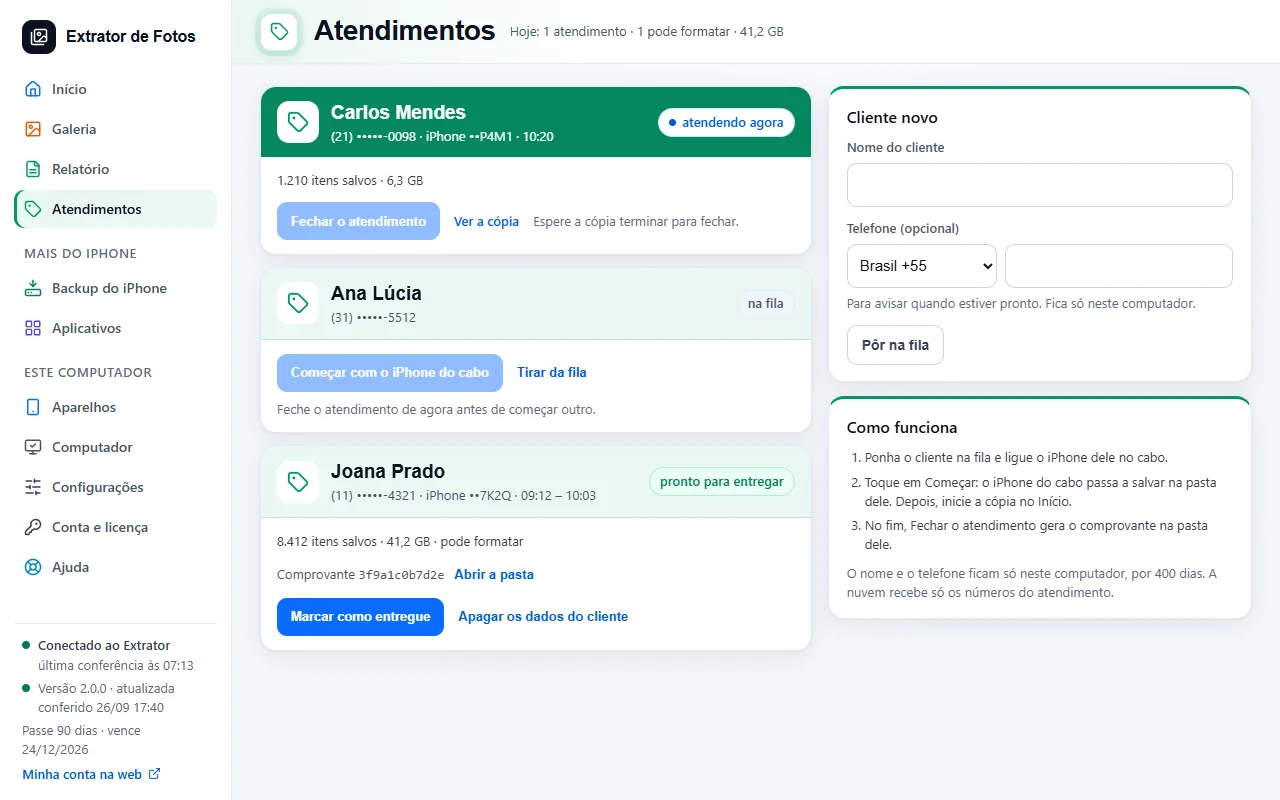 Assistance mode: one service per customerFor people who serve customers: a folder and a receipt per customer, with the day's queue.7 steps
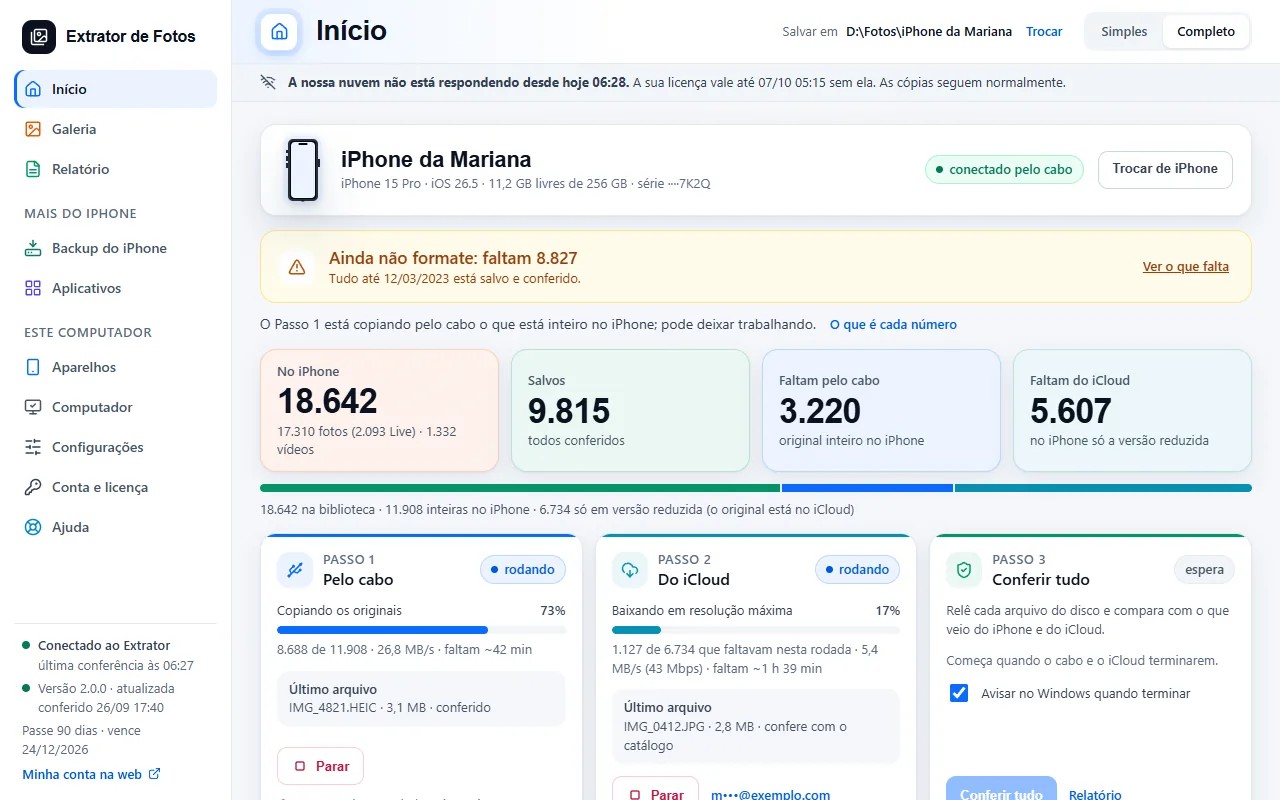 The cloud does not respond, or the computer has no internetA banner at the top of the program says since when the connection dropped and until when your license is valid without it. The cable keeps copying; what matters is getting back online before that deadline.6 steps
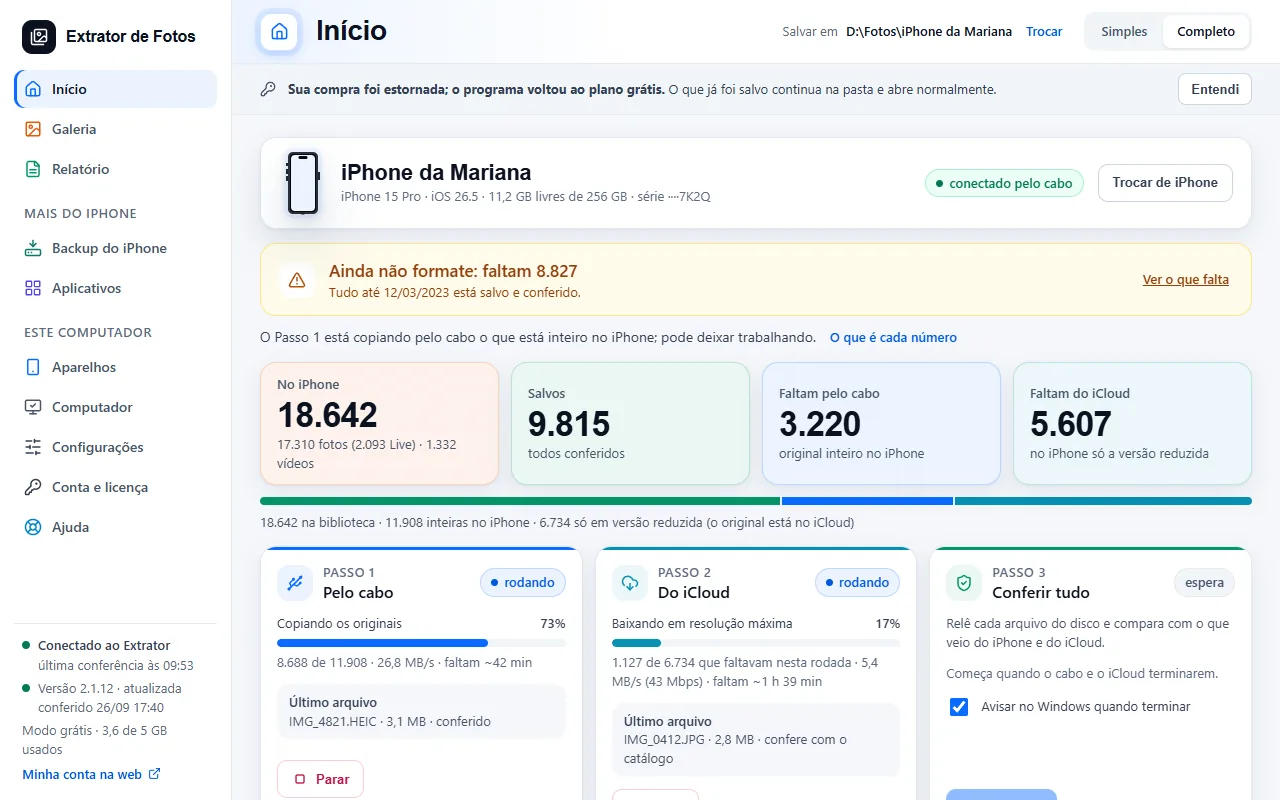 The program went back to the free planIf a purchase is refunded or canceled, or the paid plan stops being valid, the program goes back to the free plan on its own and says so in a banner. What was already saved stays in the folder.7 steps
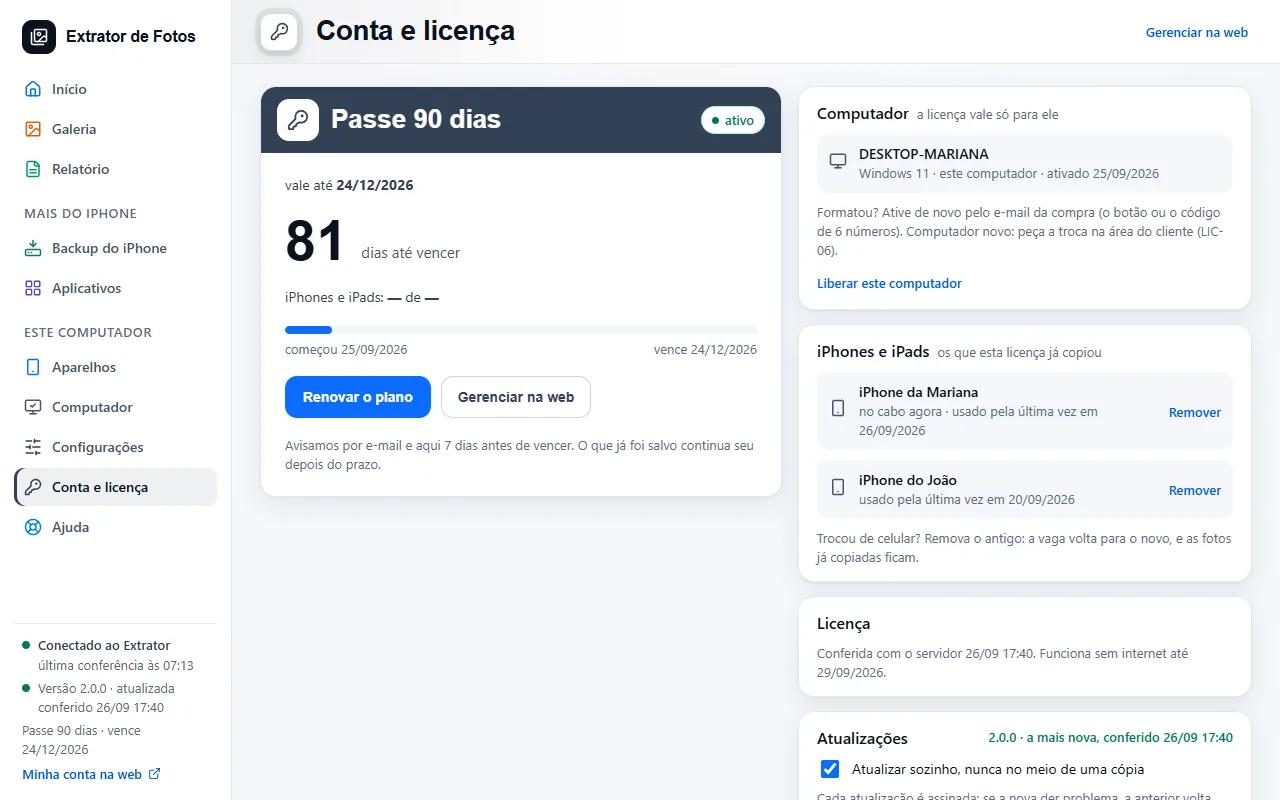 Changed iPhones? Free up the spot on the licenseThe free plan copies from 1 iPhone or iPad; the paid plans have no limit. In My license you see the ones the license has already copied and remove the old one: the spot comes back, and the photos already copied stay.6 steps
Error codes in this topic
The code shows up on the program's screen. Each one has the cause and what to do.
LIC-01The license expiredLIC-02The program asks for an internet connectionLIC-03The license is already on another computerLIC-04Activation code rejectedLIC-05This license was turned offLIC-06I reformatted my computer and the license disappearedLIC-07The access email didn't arriveLIC-08“Fix the computer's time”LIC-09This computer's free GB are used upLIC-10This computer has not been activated yetLIC-11This computer was removed from this licenseLIC-12You've already switched computers in the last 12 monthsLIC-13The terms have changed: read and accept them to keep copyingLIC-14This feature is not part of your planLIC-15A program file was changed: install it again from the websiteLIC-16The cloud's response didn't check out: nothing was copiedLIC-17This account has no active licenseLIC-18This iPhone or iPad goes over your plan's limitLIC-19You've reached the limit of iPhone removalsLIC-20The cloud didn't accept the record of the copy made offlineLIC-22The program needs to be updated to recognize your licenseLIC-23This code was requested in another program of oursPAG-01The Pix payment expiredPAG-02Card declinedPAG-03I paid the boleto and the license wasn't releasedPAG-04I want my money back (7 days)PAG-05The plan renewal didn't go throughCAD-01“Check your email and phone number”CAD-02“Too many attempts from this address”CAD-03“We couldn't confirm that you're not a robot”CAD-04The email or password is incorrectCAD-05Too many wrong attempts. Wait a little and try againCAD-06“This CPF is not valid”CAD-07“This CPF already has an account”CAD-08“This email already has an account”CAD-09“This CPF had an account deleted less than 12 months ago”CAD-10“The Measure the ads text has changed”CAD-11“Confirm your email to turn on Measure the ads”CAD-13“This code doesn't match”CAD-14“This code has expired”CAD-15“This code has already been used”CAD-16“This computer is already linked to another account”CAD-18“We still need to confirm it's you”CAD-19“Sign in to your account first”CAD-20“This account is suspended”CAD-21“We couldn't complete the sign-up with this email”CAD-22“This link is not valid”CAD-23“This link has already been used”CAD-24“This link has expired”CAD-25“The terms changed while you were signing up”CHV-01This feature is turned off for nowCHV-02This feature is only for the technician licenseTEC-01This tool is part of the technician licenseTEC-02The liability agreement has not been accepted yetTEC-03The technician registration of this account is not activeTEC-04The module did not pass the signature checkTEC-05The downloaded module does not match its manifestTEC-06The module could not be downloaded right nowTEC-07This module needs a newer version of the programTEC-08The usage log was not saved in this folderSIS-01Apple did not respondSIS-02The list of versions from Apple came in a format the program cannot read yetSIS-03This model is not in Apple's list of versionsSIS-04The downloaded file did not match Apple'sSIS-05This file is not for this iPhoneSIS-06This part of the repair is not in the program yetSIS-07The iPhone is in DFU mode: it cannot be taken out of it from hereSIS-08Apple no longer signs this versionSIS-09The repair stopped halfwaySIS-10Repairing the system from here is still being testedSIS-11Updating and keeping the data does not go back to an older versionSIS-12A download or a repair is already in progressTEC-09The customer consent for this device is missingTEC-10The consent for this device has expiredTEC-11Photos were not authorized in this consentTEC-12This action was not authorized in this consentTEC-13The customer consent changedTEC-14The customer consent could not be opened
Still not fixed? Contact support
The team replies by email and in the customer area. In the program: Help. The error code goes along.