The cloud does not respond, or the computer has no internet
A banner at the top of the program says since when the connection dropped and until when your license is valid without it. The cable keeps copying; what matters is getting back online before that deadline.
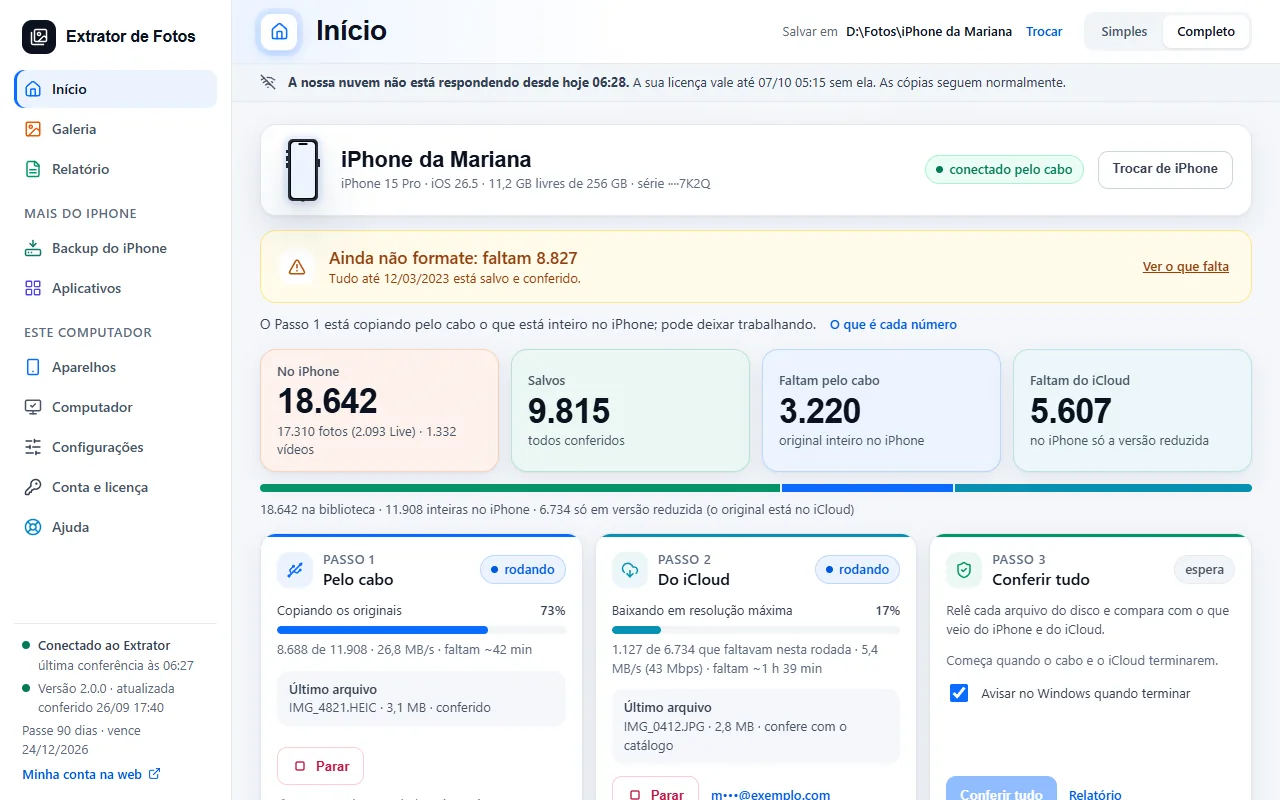
Step by step
When the program cannot reach our cloud, a banner appears at the top of the screen. The first sentence, in bold, says what is happening and since when: “Our cloud has not responded since today at 11:21.” (the computer's internet works, but our cloud does not answer) or “No internet since today at 11:21.” (the computer has no internet).
The second sentence says until when the license is valid without the cloud's check: “Your license is valid until … without it.” The offline period is your license's, counted from the last check.
The third sentence says what keeps working. With the computer's internet working: “Copying carries on as usual.” With no internet: “The cable keeps copying; iCloud and the license check wait for the internet to come back.” In that case the “From iCloud” card is paused and picks up where it stopped when the internet is back.
The banner is gray while there is time to spare. When 6 hours or less are left before the deadline, it turns yellow and the third sentence becomes a request: “Get back online before then so the license can be checked.” Fix the connection before that time.
The banner has no button. If the computer's internet is down, check the network (cable, Wi-Fi, router). If the internet works and only our cloud does not answer, wait a little. When the connection to the cloud is back, the banner goes away.
If the deadline passes while the computer is still offline, the banner becomes “The license needs to be checked over the internet.” and explains: “Your saved photos, the gallery and the report open; to copy, connect to the internet once.” That is the code LIC-02. What was already saved is not deleted.
If an error shows up
The code shows up on the program's screen. Each article has the cause and the fix.
More in Account and license
- Activate the license on the computer
- You reformatted or switched computers
- Lost, stolen, or sold computer
- Payment and refund
- How billing works
- What stays on the computer and what goes to the cloud
- Creating the account inside the program
- Assistance mode: one service per customer
- The program went back to the free plan
- Changed iPhones? Free up the spot on the license
Still not fixed? Contact support
The team replies by email and in the customer area. In the program: Help. The error code goes along.