The program went back to the free plan
If a purchase is refunded or canceled, or the paid plan stops being valid, the program goes back to the free plan on its own and says so in a banner. What was already saved stays in the folder.
Step by step
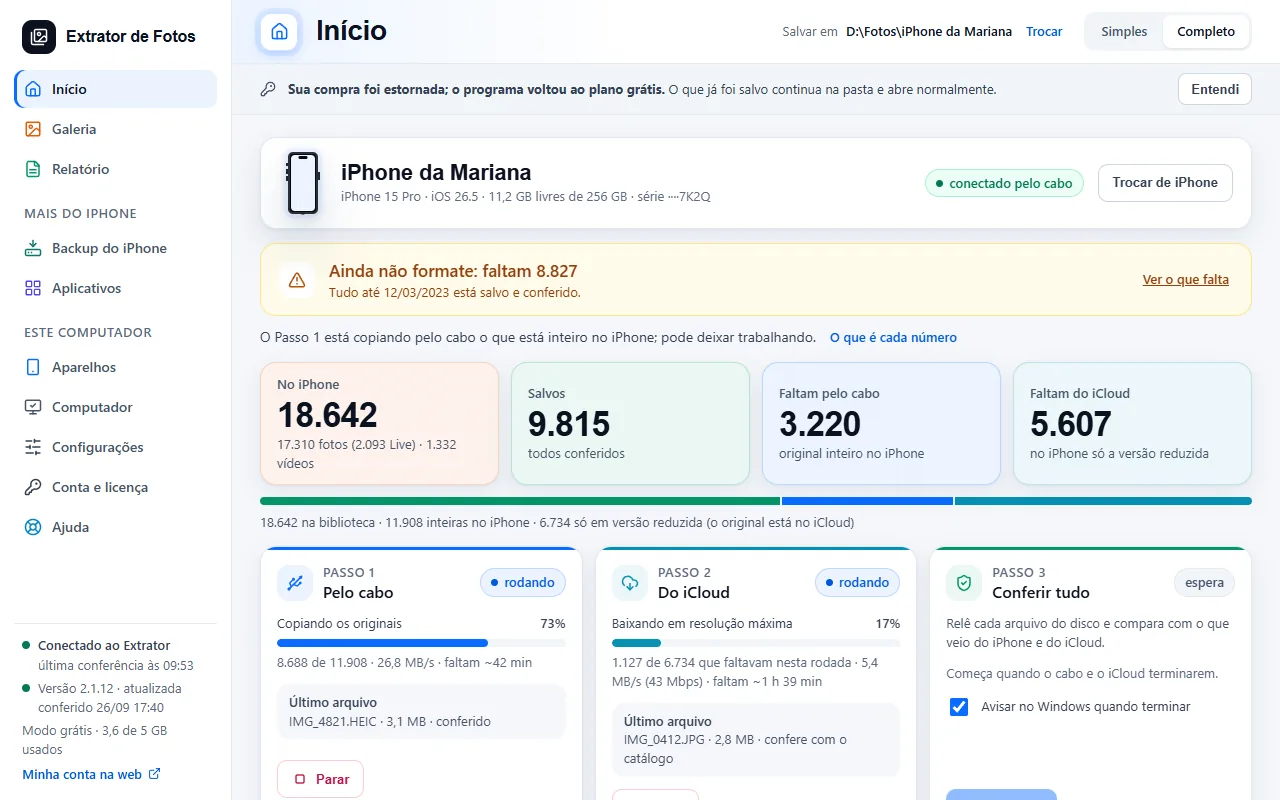
When a purchase is refunded or canceled, the program goes back to the free plan on its own, without asking you to activate again, and shows a gray banner at the top of the screen.
The banner gives the reason when our cloud reports it: “Your purchase was refunded; the program went back to the free plan.” (when the payment is refunded) or “Your purchase was canceled; the program went back to the free plan.” (when the purchase is canceled).
When the reason is not reported, the banner says only: “Your paid plan is no longer active; the program went back to the free plan.” At the bottom of the menu, the plan now shows as “Free mode”.
In all three cases, the banner ends with the same sentence: “What was already saved stays in the folder and opens as usual.” The photos and videos already copied are not deleted.
The banner asks for nothing. Click “Got it” to close it.
On the free plan, the program copies within the computer's free quota (the count is kept in the cloud). If it has already been used, the copy stops before starting the batch, nothing is left half done and the program shows the offers (code LIC-09). What was already saved keeps opening.
If you did not expect this banner (the purchase was not refunded or canceled), contact support with the button at the end of this page.
If an error shows up
The code shows up on the program's screen. Each article has the cause and the fix.
More in Account and license
- Activate the license on the computer
- You reformatted or switched computers
- Lost, stolen, or sold computer
- Payment and refund
- How billing works
- What stays on the computer and what goes to the cloud
- Creating the account inside the program
- Assistance mode: one service per customer
- The cloud does not respond, or the computer has no internet
- Changed iPhones? Free up the spot on the license
Still not fixed? Contact support
The team replies by email and in the customer area. In the program: Help. The error code goes along.