Have a copy of your photos that doesn't depend on iCloud
With iCloud Photos on, what disappears from one device disappears from all of them. A verified copy on your drive doesn't depend on that.
Step by step
Save everything, over the cable and from iCloud, to a folder on your computer or to an external drive.
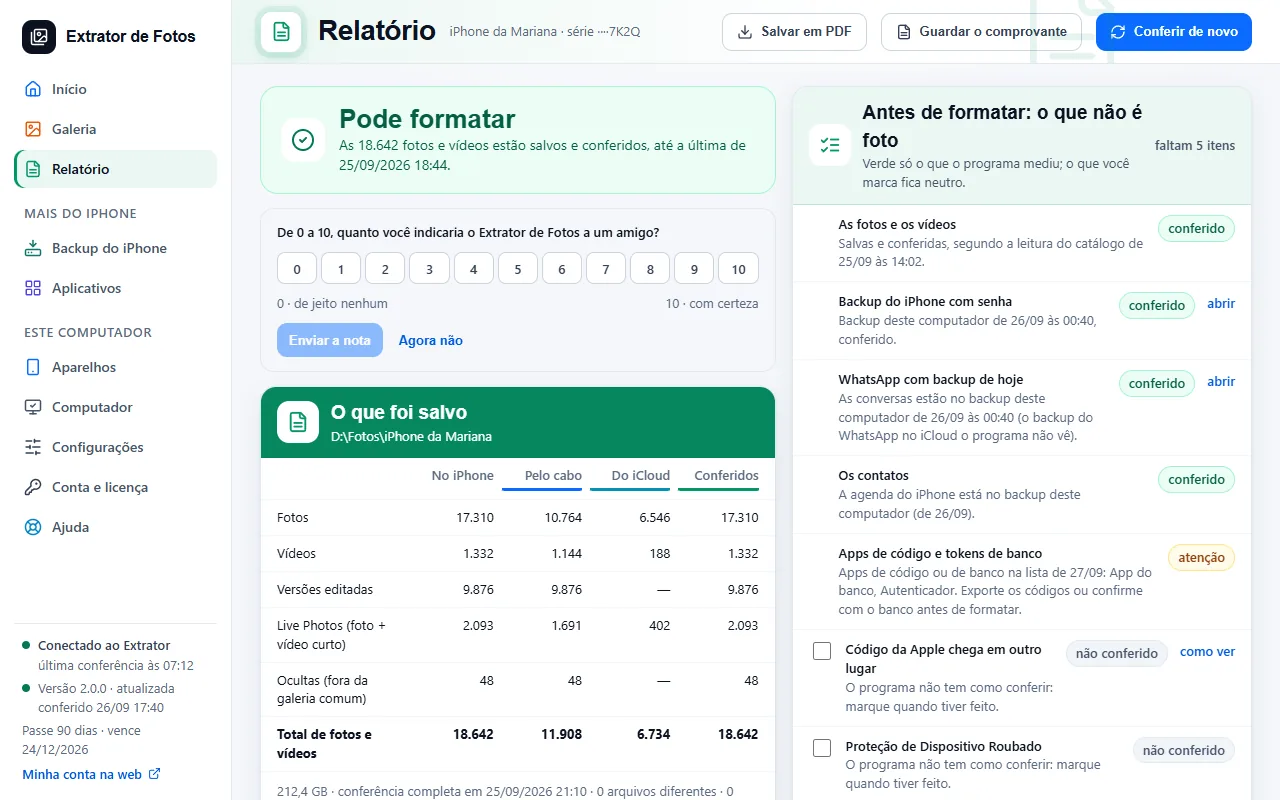
Wait for the check: each file is read back from the drive and compared, and the report says up to which day everything is saved.
Keep the report as a PDF together with the photos: it shows what was saved and when.
Before deleting anything from the iPhone, remember: with iCloud Photos on, deleting on the iPhone deletes it in iCloud and on all your devices.
If an error shows up
The code shows up on the program's screen. Each article has the cause and the fix.
More in Delete and erase
- When it's safe to erase the iPhone
- Before erasing: what isn't photos
- Delete through the program (for now, only the dry run)
- Recovering deleted photos: what comes back and what doesn't
- Why is my iPhone still full after copying and deleting the photos?
- The transfer receipt
- The Before formatting list: what each color means
- Freeing up space on the iPhone
Still not fixed? Contact support
The team replies by email and in the customer area. In the program: Help. The error code goes along.