Connect the iPhone
The cable, the Apple Devices app, and “Trust This Computer”.
Step by step
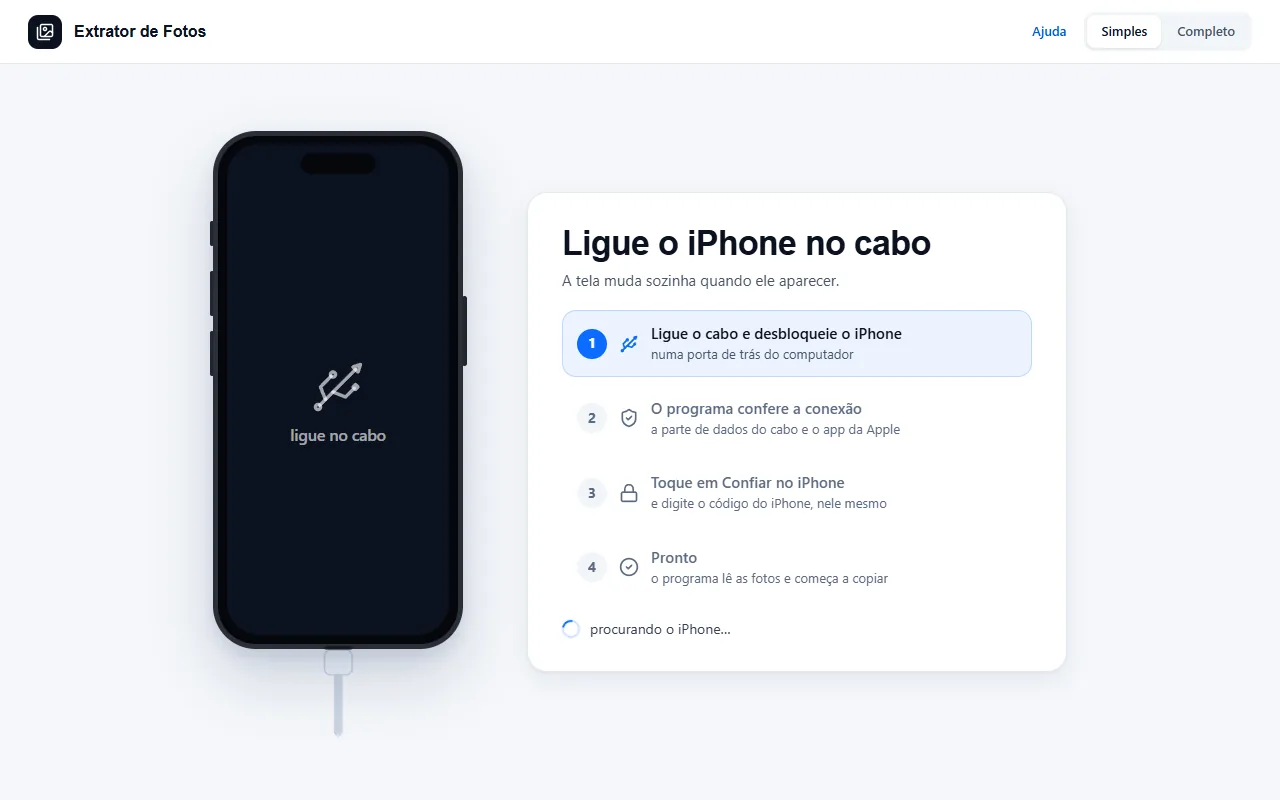 Connect the iPhone for the first timeOnly the first time on each computer: the Apple driver, the cable, and tapping Trust.5 steps
- Windows can't find the iPhoneIt's almost always the Apple driver, its frozen bridge, or the Trust prompt that didn't show up. The program checks each one.4 steps
- The iPhone doesn't show up or doesn't chargeFrom the lightest fix to the heaviest: stop at the step that solves it. Each step says whether it requires restarting the iPhone or the computer, or reinstalling the Apple app. A step that starts with a question only applies to that case.19 steps
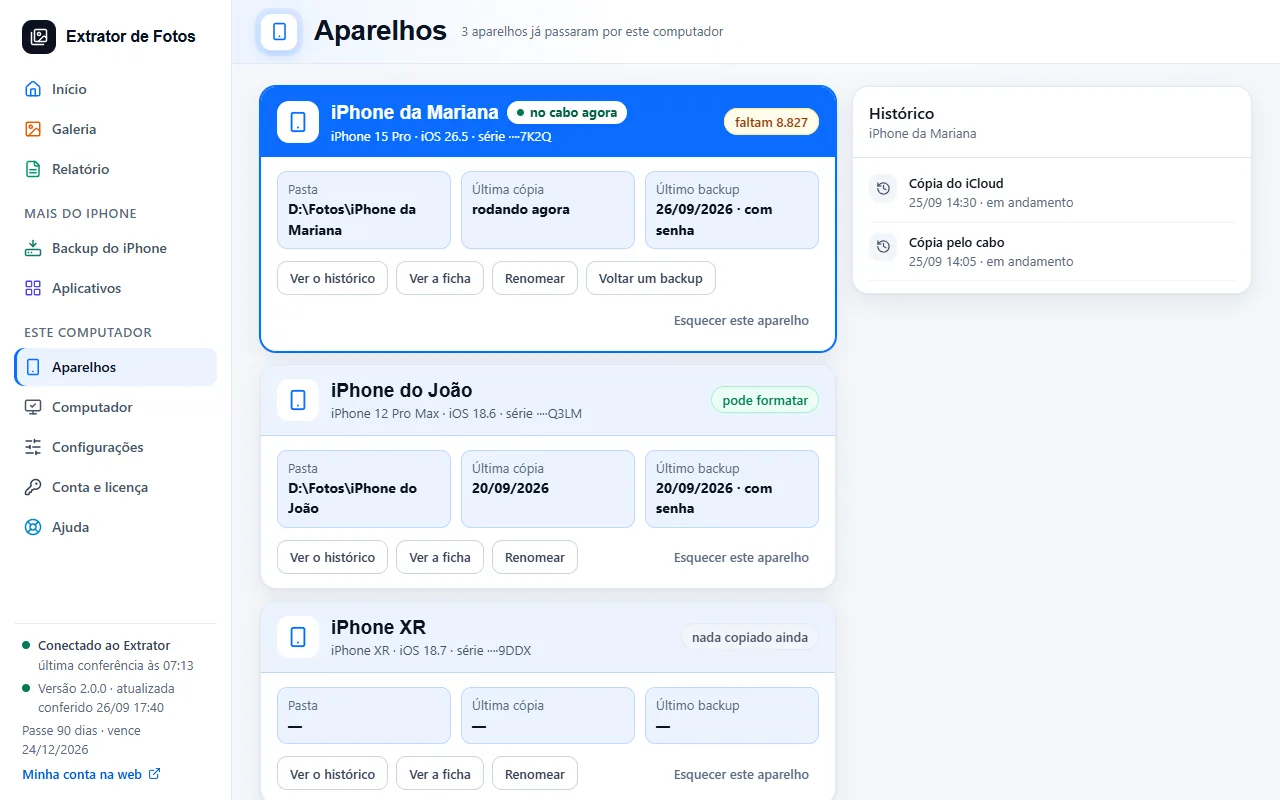 The iPhones that have been through this computerEach iPhone has its own folder, history and last copy, identified by the serial number.5 steps
Error codes in this topic
The code shows up on the program's screen. Each one has the cause and what to do.
CON-01The iPhone or iPad doesn't show up in WindowsCON-02The Apple driver is installed, but the iPhone doesn't show upCON-03Copying stops midway, or you see “The device is unreachable” (0x80070141)CON-04Nothing can be read after restarting the iPhone or iPadCON-05Two iPhones or iPads connected at the same timeCON-06Error 0xE8000003 or 0xE800000A when connecting the iPhone or iPadCON-07The driver works, but the connection is refused (antivirus or firewall)CON-08The iPhone or iPad doesn't charge or keeps disconnectingCON-09No iPhone or iPad shows up on the cableCON-10The iPhone or iPad only connects when unlocked (Lockdown Mode)CON-11Windows sees the iPhone, but the Apple connection did not openCON-12The iPhone has not sent the photo list yetCON-13“Apps” shows nothing and never moves onCON-14The internet is slow with the iPhone or iPad on the cableCON-15Windows sees the iPhone or iPad and the cable's data connection is turned offCON-16Unlock the iPhone or iPad to connectCON-17Another program is using the iPhone or iPad cableCON-18The iPhone or iPad connected for photos onlyCON-19The USB port goes into power saving and the iPhone or iPad dropsCON-20The iPhone or iPad is on the cable and doesn't chargeCON-21The Apple Devices app needs repairCON-22The computer is using the internet from the iPhone or iPad (mobile data)CON-23“The connection with Apple needs to be redone and is waiting for the other copy to finish”CON-24“The iPhone or iPad is updating its photo list”CON-25“The iPhone or iPad is still locked”PAR-01The “Trust This Computer?” prompt doesn't appearPAR-02The iPhone asks you to “Trust” every timePAR-03I tapped “Don't Trust” by mistakePAR-04The Trust prompt asks for Face IDPAR-05The iPhone or iPad asks you to “Trust” again after many daysPEC-01“The iPhone sheet was not saved to the folder”PEC-02“This iPhone's iOS doesn't report its parts over the cable”PEC-03“The iPhone didn't answer the request for its parts”PEC-04“This iPhone doesn't have a verification report yet”PRE-01“The iPhone or iPad is locked”PRE-02“The iPhone or iPad is almost out of free space”PRE-03“The iPhone or iPad battery is low and not charging”PRE-04“iCloud Photos has Optimize Storage on”PRE-05“Find My iPhone is on in the device that will receive the backup”PRE-06“Could not read Find My iPhone over the cable”PRE-07“The target device has less space than the source uses”PRE-08“To transfer, both devices must be on the cable”TEL-01The iPhone did not send its Home ScreenTEL-02A copy, a backup or another task is using the iPhone right nowAND-01No Android in File transfer mode on the cableAND-02The Android is locked or has not allowed access to its filesAND-03The Android came off the cableAND-04Copying photos from an Android is still being testedAND-05There is more than one Android on the cableAND-06No photos or videos found on this AndroidAND-07Windows could not open the AndroidAND-08Sending to the Android is still in testingAND-09There is not enough space on the Android for this transferAND-10The Android stopped accepting filesAND-11A file did not reach the Android intactWIN-01This fix is still turned offWIN-02Administrator permission was refusedWIN-03Windows did not let the Apple service startWIN-04The Apple driver is not on this computer to reinstallWIN-05A fix is already in progressWIN-06Windows did not let the Apple driver be installed
Still not fixed? Contact support
The team replies by email and in the customer area. In the program: Help. The error code goes along.