The iPhones that have been through this computer
Each iPhone has its own folder, history and last copy, identified by the serial number.
Step by step
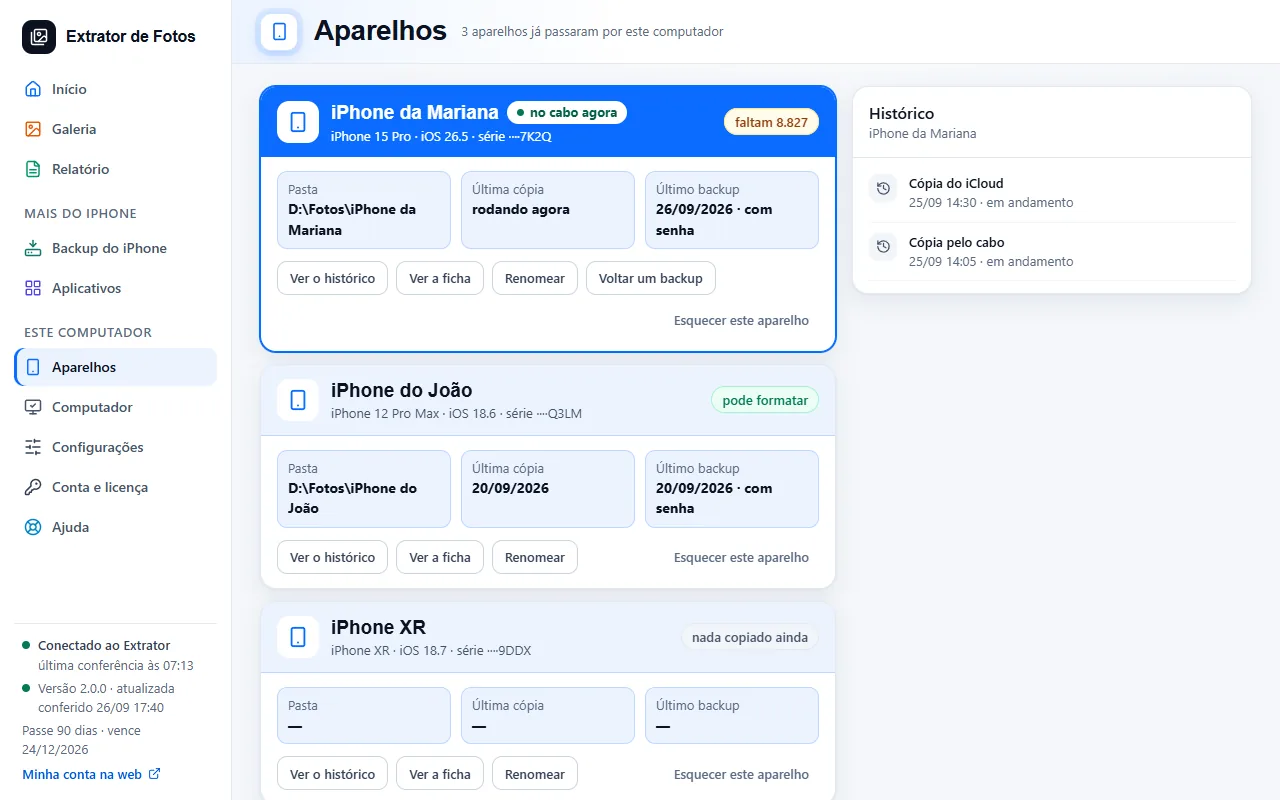
The “Devices” screen lists every iPhone that has been here, with the model, the iOS and the end of the serial number.
Each device has its own folder, identified by the serial number: two iPhones with the same name don't get mixed up. With two on the cable, the program asks which one to use.
For each iPhone it shows the folder, the last copy, the last backup, how many photos are missing and whether it is safe to format.
“See the details” and “See the history” show the copies, backups and connections. “Rename” only changes the name in the list.
“Forget this device” removes the iPhone from the list and the history, and the photos stay in the folder. If you connect it again, it comes back as a new device.
If an error shows up
The code shows up on the program's screen. Each article has the cause and the fix.
More in Connect the iPhone
Still not fixed? Contact support
The team replies by email and in the customer area. In the program: Help. The error code goes along.