Windows can't find the iPhone
It's almost always the Apple driver, its frozen bridge, or the Trust prompt that didn't show up. The program checks each one.
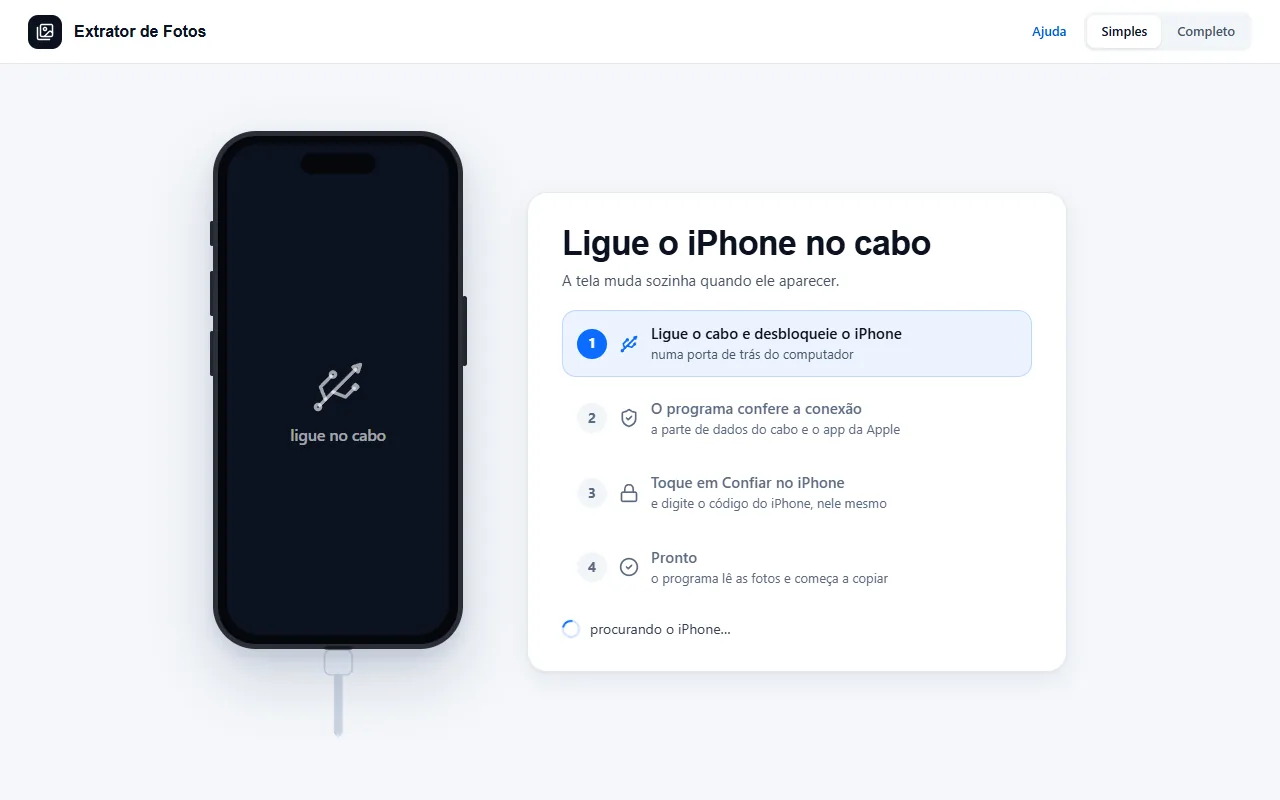
Step by step
Install the free Apple Devices app from the Microsoft Store: it's what brings the driver. The program opens the right page and checks again when you come back.
App installed and nothing happens? The program opens the app in the background and, if Apple's bridge freezes, restarts it by itself, once.
Unlock the iPhone and plug in the cable: the program's screen updates by itself when the iPhone shows up, no button needed.
The Trust prompt doesn't appear? Unplug and replug the cable with the iPhone unlocked. If you tapped Don't Trust before, the program shows how to undo it with Reset Location & Privacy.
If an error shows up
The code shows up on the program's screen. Each article has the cause and the fix.
CON-01The iPhone or iPad doesn't show up in WindowsCON-02The Apple driver is installed, but the iPhone doesn't show upCON-09No iPhone or iPad shows up on the cableCON-11Windows sees the iPhone, but the Apple connection did not openPAR-01The “Trust This Computer?” prompt doesn't appearPAR-03I tapped “Don't Trust” by mistake
More in Connect the iPhone
Still not fixed? Contact support
The team replies by email and in the customer area. In the program: Help. The error code goes along.