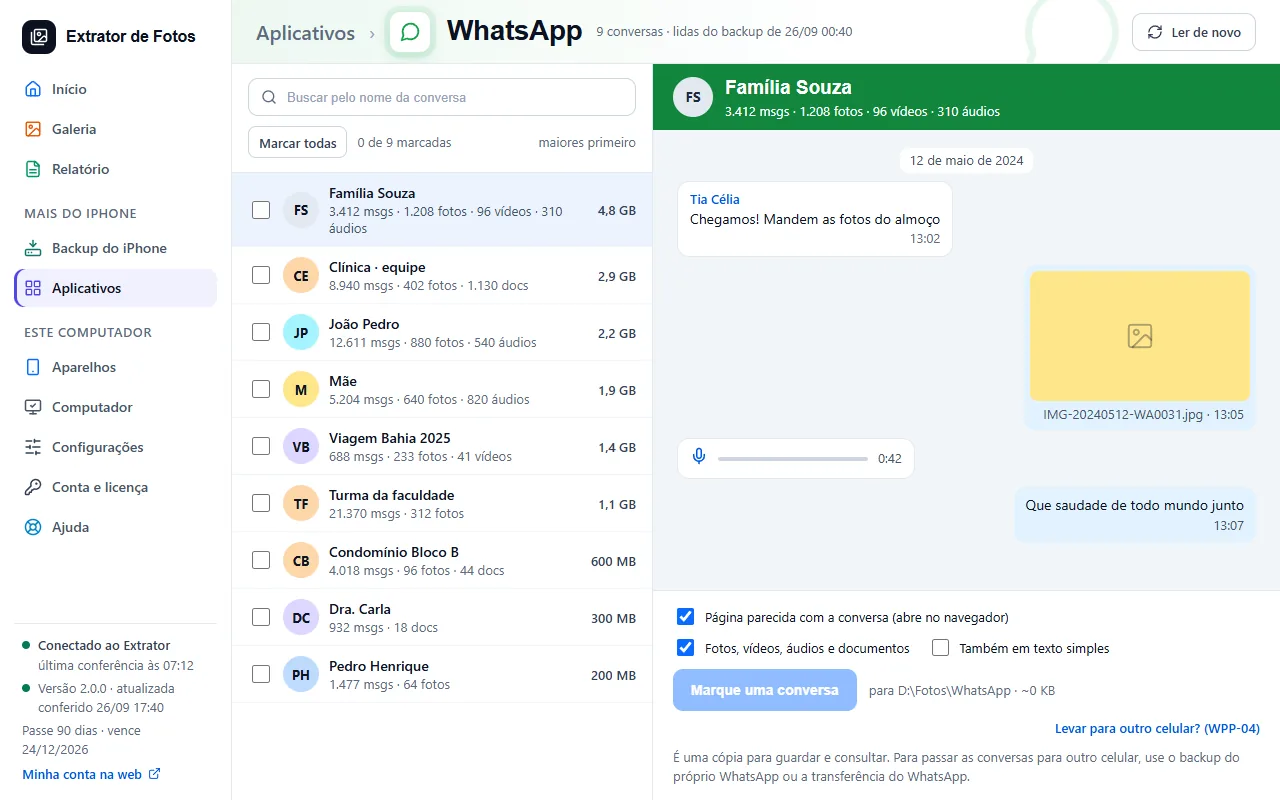
Keep your chats, with photos, videos, and voice messages, from the iPhone backup.
Step by step
Error codes in this topic
The code shows up on the program's screen. Each one has the cause and what to do.
WPP-01WhatsApp chats don't show upWPP-02Reading WhatsApp failed after an updateWPP-03A photo or audio from a WhatsApp chat is missingWPP-04How to move WhatsApp chats to another iPhoneWPP-05Can I delete WhatsApp chats from the computer?DAD-01This backup has a passwordDAD-02This part of the backup came in a format the program cannot read yetDAD-03This part is not in the backupDAD-04This part has not been checked on this iPhone version yetDAD-05This part of the backup does not openDAD-06Could not save to the folderDAD-07Another export is already runningDAD-08The PDF could not be made: the page to print was saved insteadDAD-09No iPhone backup on this computerDAD-10This attachment did not come in the backupDAD-11Call history only goes into a backup with a password: it is an Apple ruleDAD-12Safari website history only goes into a backup with a password: it is an Apple ruleDAD-13There is nothing to protect hereDAD-14The folder or one of the files could not be readDAD-15The protected file did not pass the check and was deletedREC-01Recovering deleted items is still being testedREC-02This part of the backup came in a format the recovery does not check yetREC-03This part of the backup is too big to search for deleted items on this computerREC-04Another search for deleted items is already runningREC-05The deleted items of this backup have not been searched yetREC-06This part of the backup could not be scannedSEN-01Saved passwords only go into a backup with a passwordSEN-03This version of the iPhone stores saved passwords in a format the program cannot read yetSEN-04Viewing saved passwords is still being testedDAD-16That folder is where your iPhone backups are kept
Still not fixed? Contact support
The team replies by email and in the customer area. In the program: Help. The error code goes along.