Keep your WhatsApp chats
A page that looks like the chat and opens in the browser without internet.
Step by step
First, make the iPhone backup: the chats come from it.
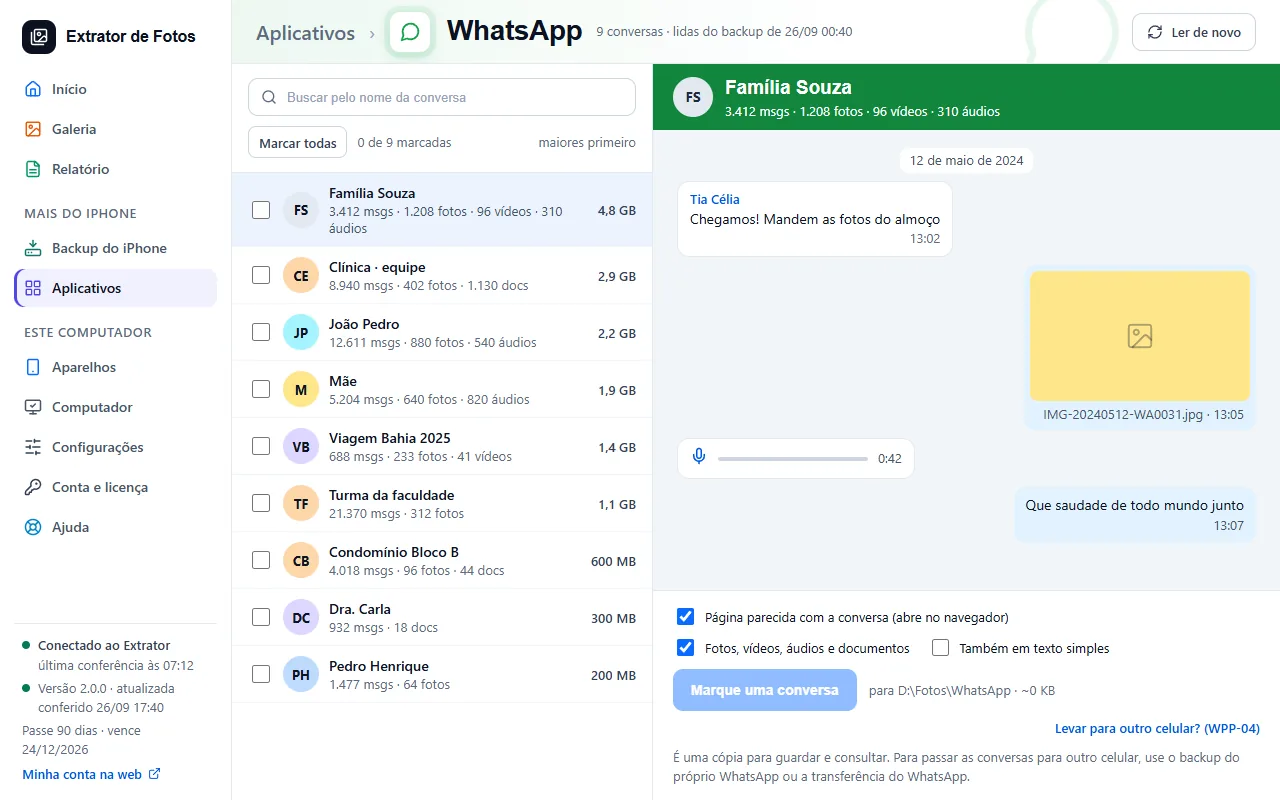
Open Apps › WhatsApp: the chats appear with how many photos, videos, and voice messages each one has.
Check the chats and choose what to export: the page that looks like the chat and the files (photos, videos, voice messages, and documents).
Click Export: the folder opens with the page, which works with a double-click, without internet.
If an error shows up
The code shows up on the program's screen. Each article has the cause and the fix.
Still not fixed? Contact support
The team replies by email and in the customer area. In the program: Help. The error code goes along.